
How to Turn AI Images Into Editable Design Blueprints
Using JSON structure and reference images to gain surgical control over generative AI design.
Have you ever generated an AI image that was almost perfect — only to lose control the moment you tried to change something small?
You ask for white window frames. Suddenly the floor changes.
You swap the chairs. The lighting you loved disappears.
This is one of the most common frustrations in generative image workflows. Standard prompting often feels like throwing paint at a canvas and hoping the composition survives.
Sometimes it does. But if you want consistent, targeted control, you eventually run into the same realization:
Prompting alone isn’t enough.
To gain real control, we need to stop only describing images to the AI and start structuring them. The bridge between those two worlds is surprisingly simple:
Translate pixels into a blueprint.
In a recent series of experiments, we explored a workflow that reverse-engineers images into structured architectural code (JSON). The goal was to create a kind of “Visual DNA” — a modular description of the scene that lets us change parts of it without breaking the entire design.
The Theory: The AI Artist’s Brain
The first step is understanding that an AI “sees” images differently than we do. Humans tend to focus on the story of a scene. AI models often anchor themselves in texture and structure.
From our experiments, a useful way to think about this relationship is what we call Map vs. Terrain.
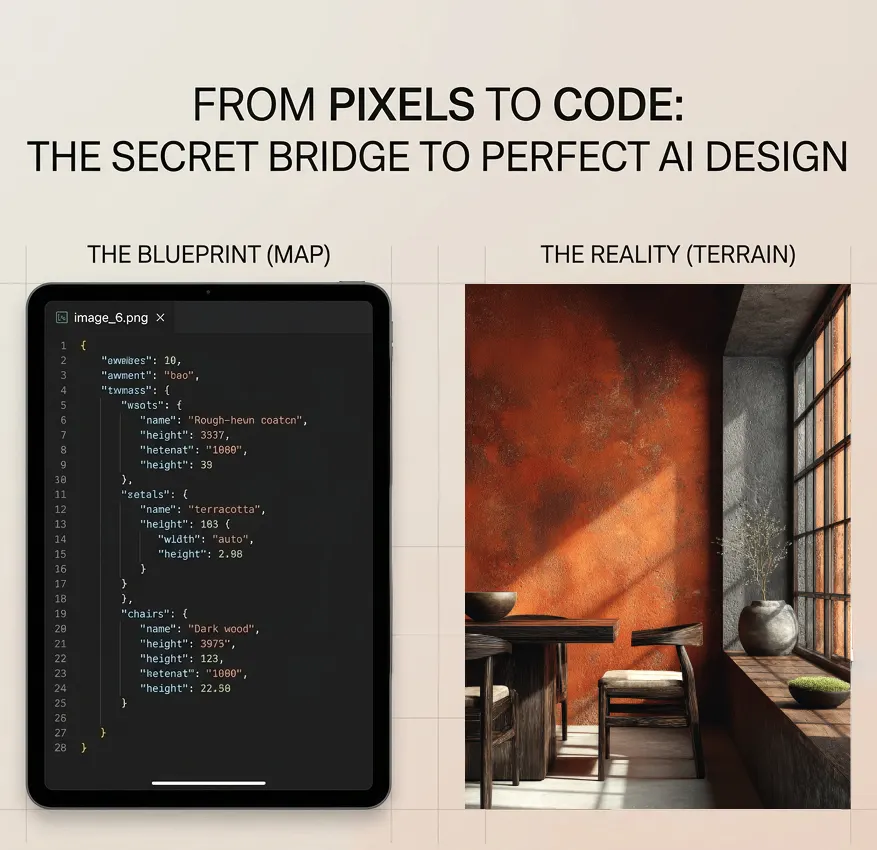
Think of the visual structure of your image as the Terrain. The terrain contains the messy, unstructured details that are difficult to prompt precisely:
- the grain of the wood
- the uneven texture of plaster
- the exact angle where light hits the wall
- subtle variations in color and material
These micro-details are where the visual realism lives. The AI locks onto them almost like a fingerprint.
The JSON code, on the other hand, acts as the Map. JSON (JavaScript Object Notation) organizes a scene into structured components. Instead of describing a room in a paragraph, you break it into editable modules:
"walls":        "Terracotta orange with weathered earthy patina"
"window_frame": "White smooth steel"
"chairs":       "Light wood with dark brown cushions"
This structured map becomes an architectural index of the scene. When you combine both elements — Terrain (the reference image) and Map (the structured JSON blueprint) — you give the AI two types of guidance:
- The reference image preserves the texture, lighting, and atmosphere.
- The JSON map tells the AI what parts can be safely replaced.
Instead of regenerating the entire room, you can say:
Keep the scene exactly like this — but replace the window frames.
And surprisingly often, the AI listens.
Step-by-Step: The “Blueprint” Workflow
This is the process we used to move from a single reference image to targeted structural edits.
1. The Extraction: Turning Pixels into Visual DNA
We began with a reference image of a Wabi-Sabi interior and analyzed it to extract its architectural structure. The goal was not to describe the image artistically — it was to translate it into a structured design blueprint.
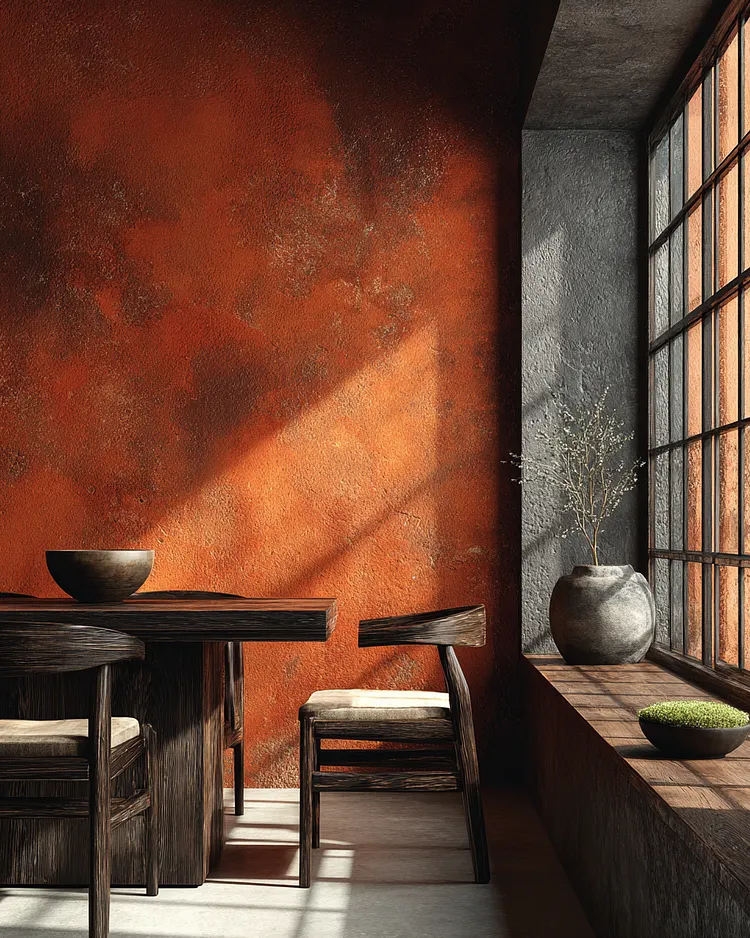
Extraction JSON example:
{
  "design_style": "Wabi-Sabi / Organic Minimalism",
  "architectural_elements": {
    "walls": {
      "texture": "Rough-hewn, distressed plaster with tactile grain",
      "color": "Terracotta orange with weathered earthy patina"
    },
    "window": {
      "type": "Large industrial grid window",
      "frame_material": "Dark weathered steel or iron",
      "feature": "Deep concrete or stone windowsill"
    },
    "furniture": {
      "table": "Solid dark-stained timber with heavy wood grain",
      "chairs": "Minimalist curved-back wooden chairs with light linen seat cushions"
    }
  },
  "aesthetic_parameters": {
    "lighting": [
      "Natural directional sunlight through window",
      "Sharp diagonal shadows across the wall",
      "Warm ambient glow reflecting off the terracotta surface"
    ],
    "color_palette": {
      "primary": "Terracotta Orange and Burnt Sienna",
      "secondary": "Obsidian Black and Dark Walnut",
      "neutral": "Slate Gray and Concrete",
      "accents": "Moss Green and Off-White linen"
    },
    "decor": [
      "Rustic stoneware bowls",
      "Minimalist clay vase with delicate dried branches",
      "Small moss centerpiece in a shallow bowl"
    ]
  },
  "composition": {
    "framing": "Eye-level professional interior photography",
    "perspective": "Front-view with strong vertical and horizontal lines",
    "depth_of_field": "Deep focus with high texture clarity"
  },
  "technical_metadata_inference": {
    "style_vibe": "Earthy, serene, and tactile",
    "rendering_quality": "Photorealistic with high-fidelity texture mapping",
    "midjourney_logic": {
      "aspect_ratio": "4:5",
      "stylize": "250",
      "v_parameter": "6.0"
    }
  }
}
At this stage, the goal is simply structural clarity. You’re converting a visual scene into something closer to a design system.
2. Refinement: Editing the Blueprint
Once the JSON structure exists, editing becomes much easier. Instead of rewriting an entire prompt, you simply modify the relevant values. For example:
- Original:
frame: "Dark weathered steel" - Modified:
frame: "White smooth steel" - And for the chairs:
chairs: "Light wood with dark brown cushions"
Notice what we didn’t change: lighting, walls, textures, composition. We only changed the modules we actually wanted to modify.
3. The Rebuild: Testing the New Map
With the updated blueprint ready, we generated the scene again. The results were surprisingly stable.
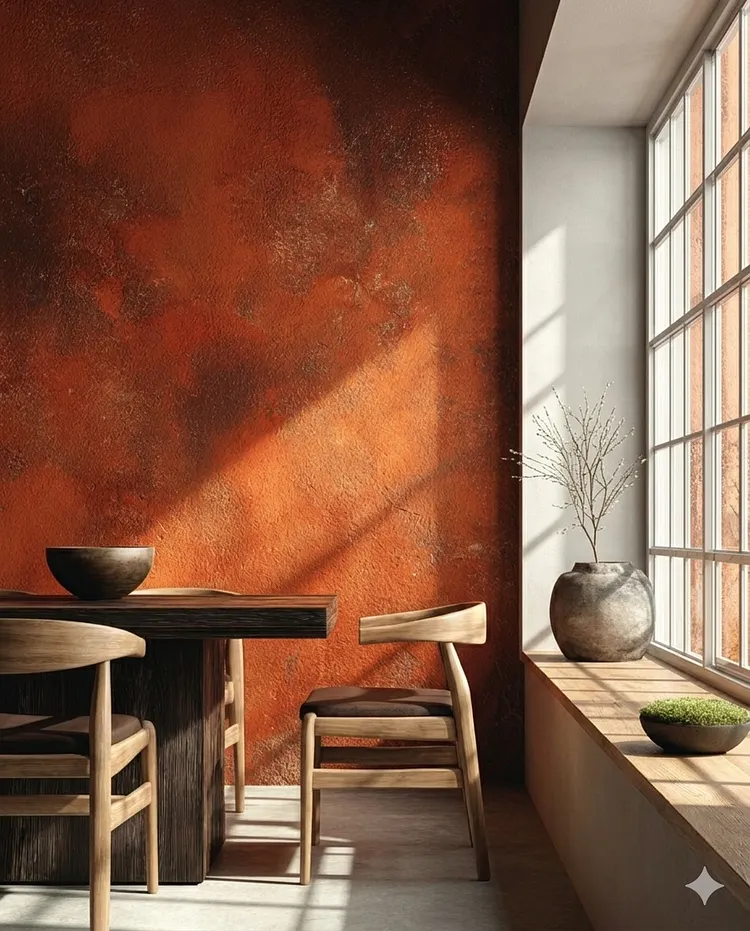
The regenerated image preserved the soul of the room — terracotta wall textures, strong sunlight angles, Wabi-Sabi atmosphere — but correctly implemented the new elements: white window frames and lighter chairs. Instead of destroying the scene, the AI performed a controlled swap.
Where This Works (And Where It Doesn’t)
One important lesson from these experiments: not every AI model interprets structure the same way. Some models follow the map closely. Others prefer to improvise.
Where It Works Best
Models that respond well to structured prompting benefit greatly from this approach. Best use cases include:
- Targeted structural edits — changing specific elements in a scene without losing overall atmosphere.
- Style consistency — maintaining texture, lighting, and mood while adjusting furniture or layout.
Where It Gets Trickier: MidJourney
MidJourney behaves differently. It is fundamentally an artistic generator, not a strict instruction interpreter. If you feed MidJourney only the JSON text, it often ignores the structure and improvises its own interpretation.
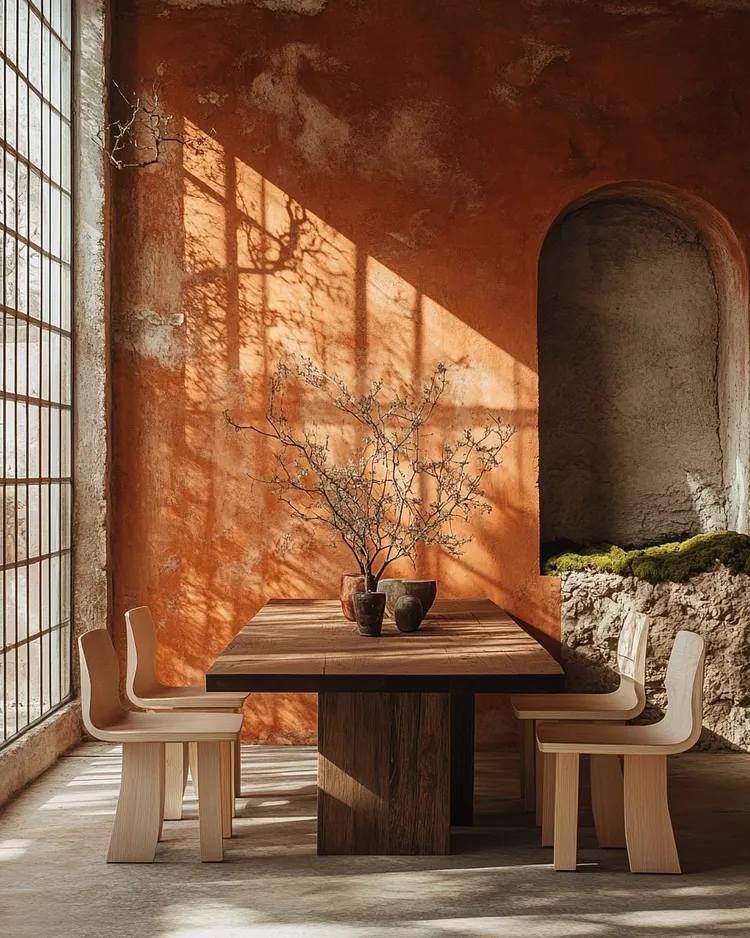
The result captures some elements — but the control is weaker.
The Fix
To stabilize the result, you need to combine the reference image and the structured prompt. Using an image reference (for example --sref) anchors the model to the original terrain.
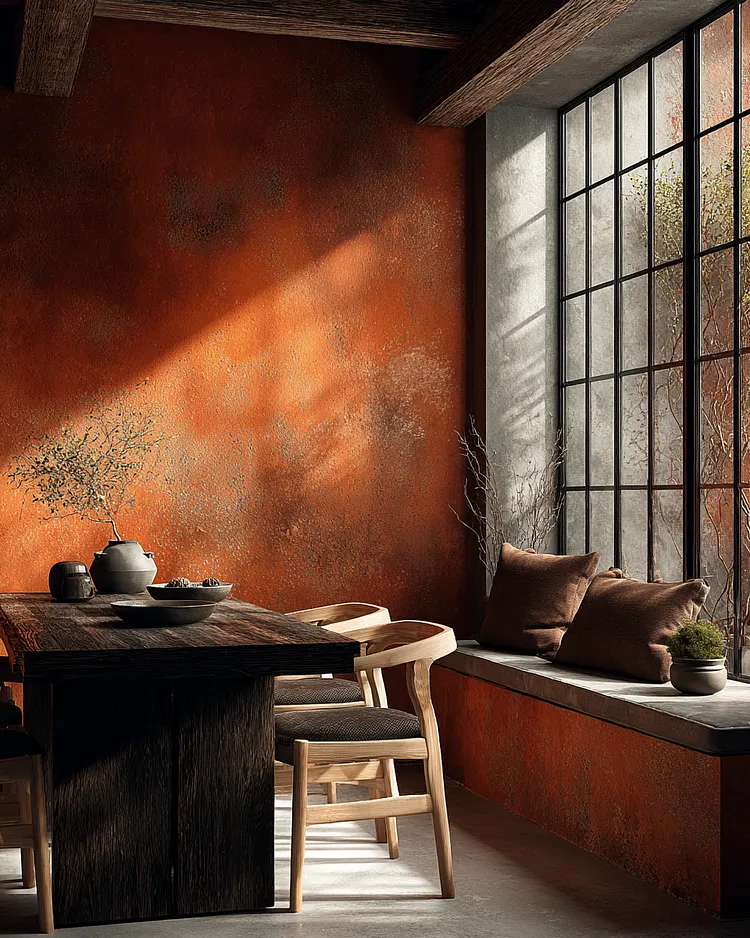
The reference locks in the visual DNA, while the text controls the specific changes.
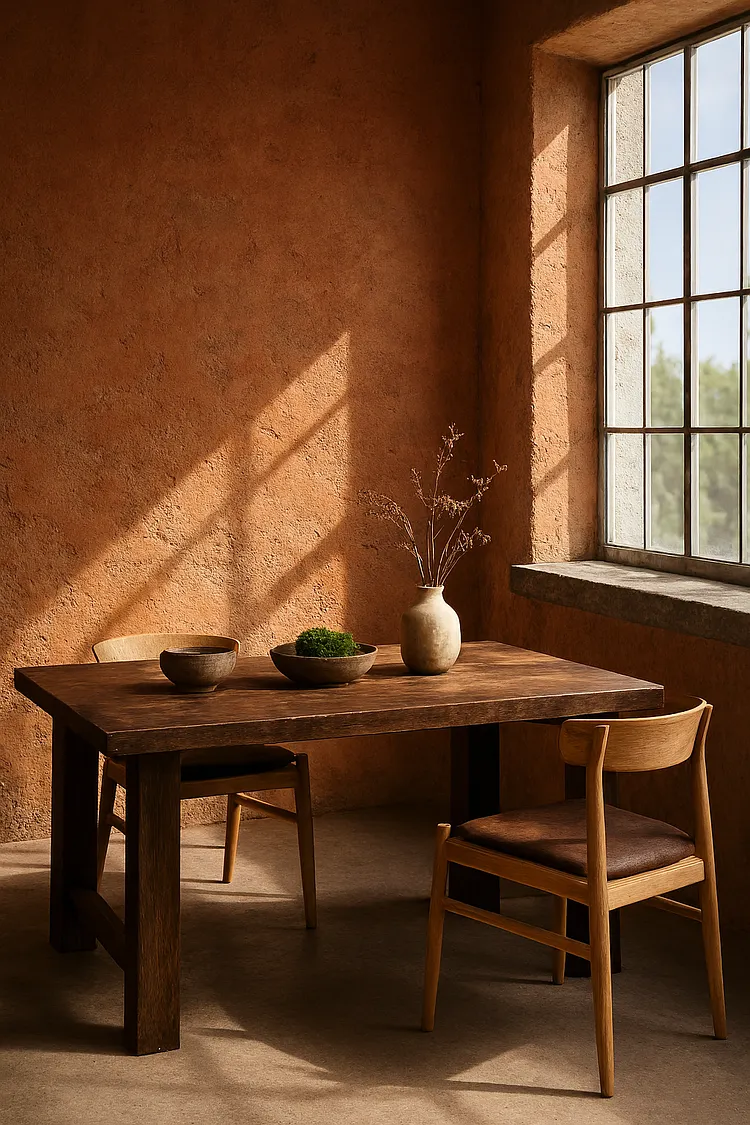
The Cross-Platform Surprise: DALL·E / Copilot
When we ran the same JSON blueprint through Copilot (DALL·E), the behavior changed again. The model followed the map extremely well — white frames appeared correctly, chair styles matched the code — but it struggled with the terrain: the weathered wall textures became smoother and less tactile.
Even within the same model family, results can vary. For example, running the same JSON through another Gemini account produced slightly different interpretations.
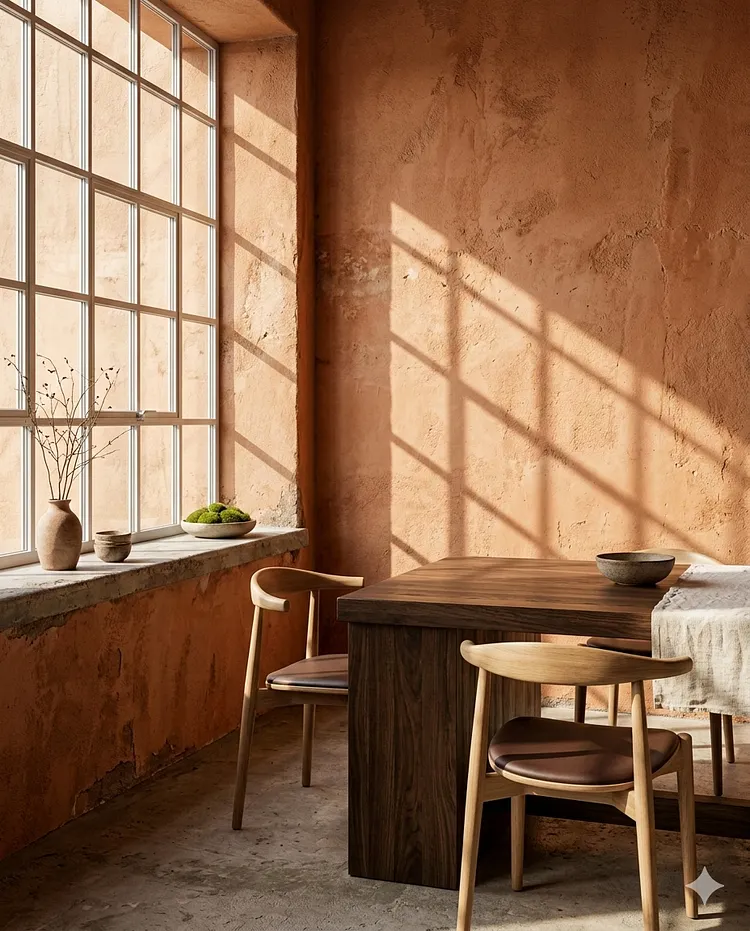
Structure helps — but models still have personalities.
Building Instead of Guessing
AI image generation is slowly shifting from a purely creative tool into something closer to a design system. The “JSON bridge” experiment suggests something important:
Consistency isn’t impossible. It just requires structure.
Instead of describing entire scenes over and over again, we can begin to design them like modular systems. Terrain keeps the visual DNA. The map defines the editable architecture. Once those two layers work together, targeted edits stop feeling random. They start feeling predictable.
And that changes how we build with AI.
If you’re experimenting with structured prompting or visual reverse-engineering, try this workflow yourself:
- Start with one reference image.
- Extract the visual blueprint.
- Then change only one element.
You may be surprised how stable the scene becomes. Some of the most interesting AI workflows aren’t about better prompts — they’re about thinking like a builder.